- low voltage
- how-to
- estimating
How long can a Cat6 run be? The 295 ft limit in a takeoff
A Cat6 horizontal run is limited to 90 m (295 ft) of permanent link, 100 m (328 ft) with patch cords. Check it at takeoff, with service loop and slack included.
The TakeOn Team 5 min read
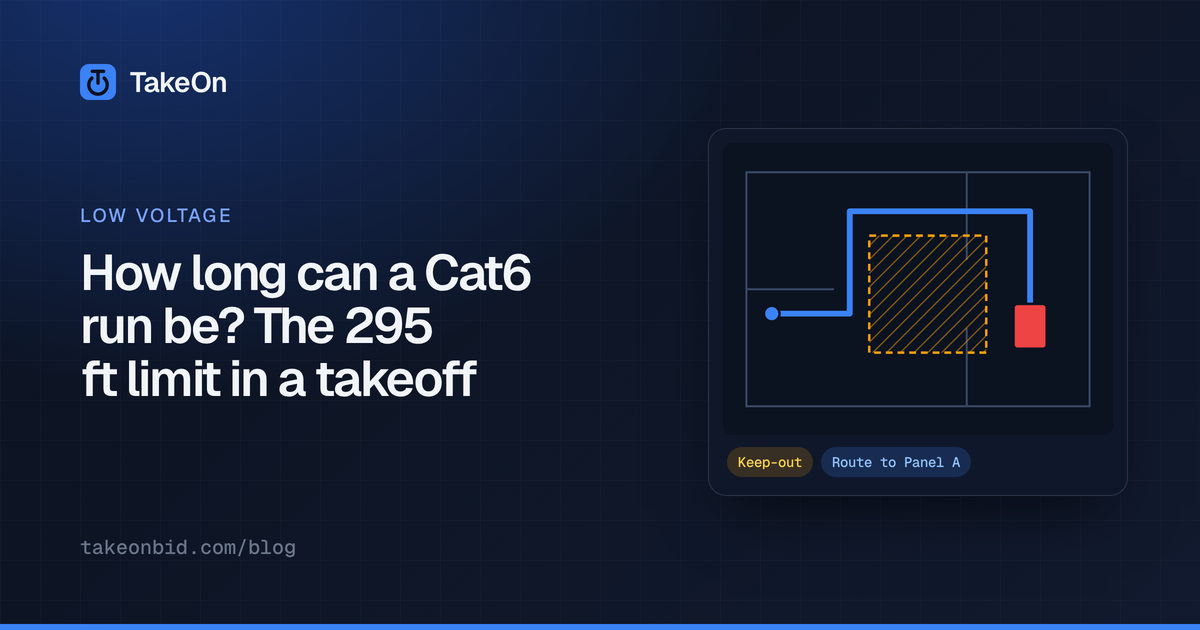
In short: A Cat6 horizontal run can be up to 90 m (295 ft) from the patch panel in the telecom room to the outlet, under the ANSI/TIA-568 cabling standard. With patch cords and equipment cords added, the full channel limit is 100 m (328 ft). Check the limit during takeoff, against the cable that will actually be installed, including the service loop and slack, not just the line you traced on the plan.
Key takeaways
- 295 ft is the permanent-link limit: the installed horizontal cable from panel to jack. 328 ft is the channel: link plus cords at both ends.
- The same lengths apply to Cat5e, Cat6 and Cat6A. Cat6A is the one rated for 10 Gb/s Ethernet at full length.
- A traced length under 295 ft can still be over once the service loop, slack and vertical drops are added.
- The limit is per cable. Four cables pulled together on a 250 ft path are four 250 ft links, not one 1,000 ft link.
- Finding an over-length run at takeoff is cheap. Finding it at certification testing is not.
What is the maximum length of a Cat6 run?
The maximum length of a Cat6 horizontal run is 90 meters, about 295 feet, for the permanent link. The permanent link is the fixed cable from the termination in the telecom room (usually a patch-panel port) to the jack at the work-area outlet. The ANSI/TIA-568 standard allows a further 10 m in total for patch cords and equipment cords, giving a channel of up to 100 m (328 ft) from the switch to the device.
| Segment | Maximum length |
|---|---|
| Permanent link (patch panel to outlet) | 90 m / 295 ft |
| Patch and equipment cords, total | 10 m / 33 ft |
| Channel (switch to device) | 100 m / 328 ft |
Your project specification may be stricter. Read the structured-cabling section of the specs before relying on the standard’s number.
Is the limit different for Cat5e, Cat6 and Cat6A?
The length limit is the same for Cat5e, Cat6 and Cat6A horizontal cabling: 90 m of permanent link inside a 100 m channel. What changes is the speed the cable is rated to carry over that length. Cat6A is rated for 10GBASE-T across the full 100 m channel. Cat6 is commonly cited as supporting 10GBASE-T only up to about 55 m, depending on the installation, and full length at 1 Gb/s.
Fiber has its own, much longer distance limits that depend on the fiber type and the network speed, which is why long runs are often moved to fiber.
What counts toward the 295 ft?
Everything installed between the patch panel and the jack counts toward the 295 ft, including cable you don’t see on the plan:
- The horizontal path you trace on the floor plan.
- Vertical drops and rises: down a wall to an outlet, up into the ceiling, between floors. A plan is a top-down view and doesn’t show them.
- The service loop: extra cable coiled in the telecom room or above the outlet for future re-termination.
- Routing slack: the cable doesn’t take a perfect line around beams, ducts and pathway turns.
A worked example: a run traces at 255 ft on the plan. Add a 15 ft service loop and 10% slack and it is (255 + 15) × 1.1 = 297 ft, which is over the limit, even though the traced line looked comfortable.
The limit is per cable. If an outlet takes four cables, each one is a separate link of the same length. Multiply by the cable count when you buy cable, but not when you check the length.
What do you do with a run that is too long?
A copper horizontal run over the limit needs a design change. The usual options are:
- Serve it from a closer telecom room, if the building has one or the design can add one.
- Reroute it along a shorter pathway.
- Use fiber to a switch nearer the devices, then copper from there.
Each of those is a question for the designer, and each changes the bid, so it belongs in the RFI or the bid clarifications, not on the job after award.
How does TakeOn check cable run length during takeoff?
TakeOn checks run length with a Max run length on a linear template. When a template sets one, every run drawn with it is checked as you work. A run longer than the limit gets a warning badge on the drawing, such as ”⚠ 312.4 ft > 295 ft”, on each of its legs. Its row in the Takeoffs panel gets a chip like “2 over 295 ft”. Click the chip for a list of the long runs, and pick one to jump to its sheet with the run selected.
The check is a warning only. TakeOn never blocks, shortens or changes a run that is over the limit.
- What length is checked. By default, the drawn length. A template can set Length checked to a formula, so the check can include the service loop and slack.
- The low-voltage starter template.
LV - Cable Run, which a Low voltage workspace starts with, sets Max run length to 295 ft and checks([qty] + [service_loop]) * (1 + [slack_pct]/100): the run’s own feet plus one service loop, plus slack. It deliberately leaves out the cable count, because the limit is per cable. - Runs across sheets. A run that continues onto another sheet is checked as one run, with each sheet’s leg measured at that sheet’s own scale.
- Unscaled sheets. A run with a leg on a sheet with no scale set isn’t checked, because its length in feet isn’t known.
The quantity you buy is calculated separately. LV - Cable Run’s quantity adds
one service loop per run, multiplies by the cables, and adds slack, as
described in what a low-voltage takeoff is.
For a quick allowance by device type, the free
low-voltage cable footage calculator
totals the feet and 1,000 ft boxes and warns on any row whose run plus loop
passes 295 ft.
You can also see the long runs before any are drawn. Right-click a count
template’s row in the Takeoffs panel, such as LV - Data Outlet, and choose
Route all to…. Pick the landmark you placed in the telecom room as the destination, and
LV - Cable Run as the run template, and the preview lists every planned run
with its length and which ones would be over the limit. Nothing is created
until you press Create.
If your workspace already had its own LV - Cable Run before the 295 ft
limit was added to the starter pack, adding the pack won’t overwrite it. Open
the template, set Max run length to 295, and optionally fill in Length
checked.
Try TakeOn free to check every cable run against 295 ft as you take it off.
Frequently asked questions
- What is the maximum length of a Cat6 cable run?
- Under the ANSI/TIA-568 cabling standard, the horizontal cable between the telecom-room patch panel and the work-area outlet, called the permanent link, can be up to 90 m (295 ft). The whole channel, including patch cords and equipment cords, can be up to 100 m (328 ft).
- Is the 295 ft limit the same for Cat6 and Cat6A?
- Yes. The 90 m permanent link and 100 m channel lengths apply to Cat5e, Cat6 and Cat6A horizontal copper cabling. The difference is speed: Cat6A is rated for 10 Gb/s Ethernet over the full 100 m, while Cat6 is usually cited as supporting 10 Gb/s only up to about 55 m.
- Does a service loop count toward the 295 ft limit?
- Yes. A service loop is cable in the link, so it counts toward the permanent link length once it is installed. An estimate that checks only the traced plan length can pass a run that is actually over 295 ft once its loop and slack are added.
- What happens if a cable run is longer than 295 ft?
- A copper run over the limit may fail certification testing and may not carry the intended network speed. The usual fixes are serving the area from a closer telecom room, rerouting the run, or using fiber to a switch nearer the devices.
- How does TakeOn flag cable runs that are too long?
- TakeOn lets a linear template set a max run length. Any run longer than it gets a warning badge on the drawing and is counted in a chip on its Takeoffs row, and the low-voltage starter template LV - Cable Run sets that limit to 295 ft. The warning never blocks or changes the run.